On this page
- Digital photo for an e-visa application
- Confirm the route first
- Check your photo before uploading
- Use the official application
- Prepare the rest of your application
- Official sources
- 35:45 means proportions, not pixels
- A regular visa is a different photo task
- Photo questions
- About this guide
- Visa guidance
- Continue preparing
- Questions this guide answers
- Medical insurance guidance
Digital photo for an e-visa application
This checklist covers the face photograph uploaded with a unified e-visa application. It is not a passport-photo service, a personal eligibility assessment or a complete regular-visa photograph specification. A prepared photo does not guarantee acceptance of the image, a visa or entry.
Last checked 29 September 2026. Official e-visa photo instructions
Confirm the route first
Read the unified e-visa overview before preparing an application. This page answers the photograph task, not whether you need or qualify for that visa.
Check your photo before uploading
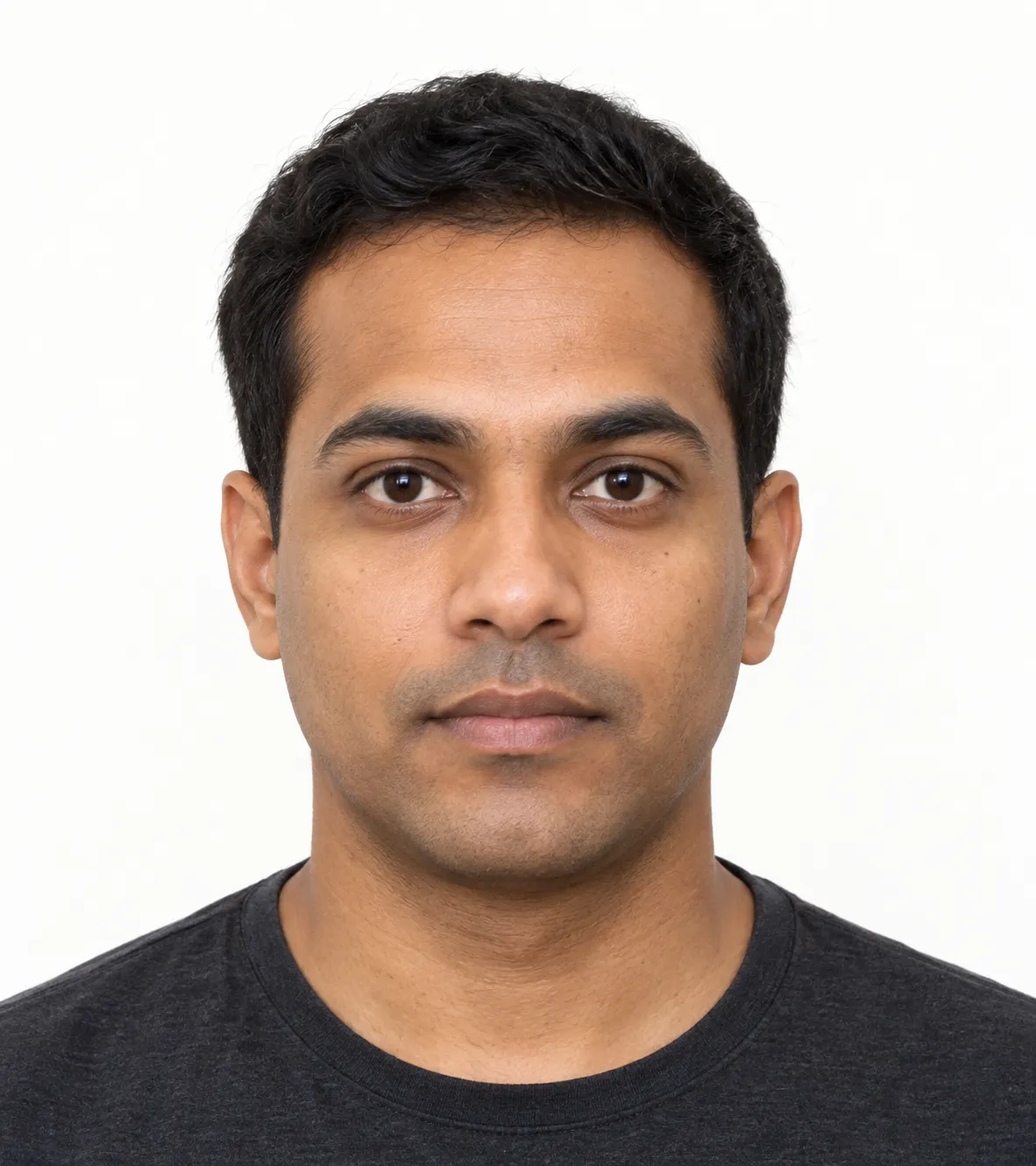
Example framing
AI-generated illustration of a fictional person, not an official approved sample.
Plain light background and even light.
Straight head, direct gaze, open eyes and a closed mouth.
Whole head and upper shoulders visible, with the head centred.
Portrait proportions: 35:45, equivalent to 7:9.
Use your own current photograph for the application, not this synthetic image. This illustration does not validate a photograph or guarantee acceptance. Glasses and religious head coverings have specific conditions below; their absence here does not mean they are forbidden.
Last checked 29 September 2026. Official photo instructions
Recent and individual. Use a photograph taken within six months before the application, reflecting your current appearance. Only you should appear; exclude other people and objects such as a chair back or wall pictures.
Straight, front-facing pose. Look directly at the camera, without tilting or turning your head. Keep a neutral expression, your mouth closed and your eyes open. Move hair away from your eyes.
Even light and plain background. Use a light-coloured, plain background. Avoid shadows, flash reflections on your face and red-eye.
Complete, centred framing. Include the top of your head and shoulders. Show the whole head from the hairline or crown to the chin, centre it and align the nose with the centre line. The official instructions specify that the face should occupy 70–80% of the photo. Do not add a border.
Clear, natural image. Keep the photograph in focus, with a neutral colour scheme and natural skin tones.
Glasses. Your eyes must remain fully visible. Tinted lenses and flash reflections are not allowed; frames must not cover the eyes, even partly. The instructions recommend less bulky frames where possible.
Head covering. The exception applies where religious beliefs prohibit an uncovered head. Facial features must not be concealed: the face must be clearly visible from the bottom of the chin to the top of the forehead.
These are preparation checks, not an image-validation result. Last checked 29 September 2026. Official e-visa photo instructions
Use the official application
Prepare the rest of your application
Continue with the e-visa documents checklist and application steps. Submit your photograph on the official portal, not to Russian Visa Guide. We do not upload, collect or approve your photograph.
Official sources
35:45 means proportions, not pixels
The width is 35 parts for every 45 parts of height. Dividing both by five gives 7:9: a portrait rectangle, taller than it is wide. This arithmetic explains the shape only; it does not specify an upload resolution or a physical print size.
The public instructions reviewed here do not establish a minimum pixel count, DPI or a maximum file size. That does not mean the uploader has no limits. Follow any current file instructions displayed by the official application portal; we have not verified its signed-in uploader.
Last checked 29 September 2026. Official e-visa photo instructions
A regular visa is a different photo task
The central MFA regular-visa guidance lists a printed photograph size of 3.5 × 4.5 cm. That physical size is not the e-visa's digital aspect-ratio instruction. Check the competent consulate's requirements for your application; this page does not determine the number of printed photos, local exceptions or a complete regular-visa specification.
Last checked 29 September 2026. MFA regular-visa guidance
Photo questions
What size should my Russia e-visa photo be?
The official public instruction specifies a 35:45 width-to-height aspect ratio, equivalent to 7:9. It is not a 35-by-45-pixel requirement. A pixel minimum or file-size cap was not established by the public instructions reviewed here. Last checked 29 September 2026. Official photo instructions
Which image format does the e-visa portal ask for?
JPEG for the digital face photograph. Follow the current uploader instructions when submitting. Last checked 29 September 2026. Official photo instructions
Can I wear glasses in the photo?
Your eyes must be clearly visible, with no tinted lenses, flash reflections or frame covering the eyes, even partly. Lighter frames are recommended where possible. Last checked 29 September 2026. Official photo instructions
Is a religious head covering permitted?
The exception applies where religious beliefs prohibit an uncovered head. Facial features must remain visible from the bottom of the chin to the top of the forehead. It is not a general permission for any headwear. Last checked 29 September 2026. Official photo instructions
What pixel dimensions, DPI and file size does a Russia e-visa photo need?
The public photo instructions checked here give JPEG format and a 35:45 width-to-height ratio; they do not establish a minimum pixel count, DPI or maximum file size. Follow the current instructions in the official uploader. This guide has not inspected its signed-in upload fields and does not certify a file. Checked 13 October 2026. Official photo instructions
About this guide
Russian Visa Guide is an independent information portal, not a Russian government website or a photo-approval service. Official instructions take precedence; this checklist does not guarantee a visa or entry.
Questions this guide answers
Not sure this guidance applies?
Check the passport, purpose, travel document, dates and stay before choosing a visa or insurance product.
The route checker is not published in this release. Use the official sources on this page before choosing a route.